 Trace
中文
Get
Trace
中文
Get
What’s inside Trace.
Pretty much everything you need to keep your days. Each one says what it does and which parts are Pro.
Journal
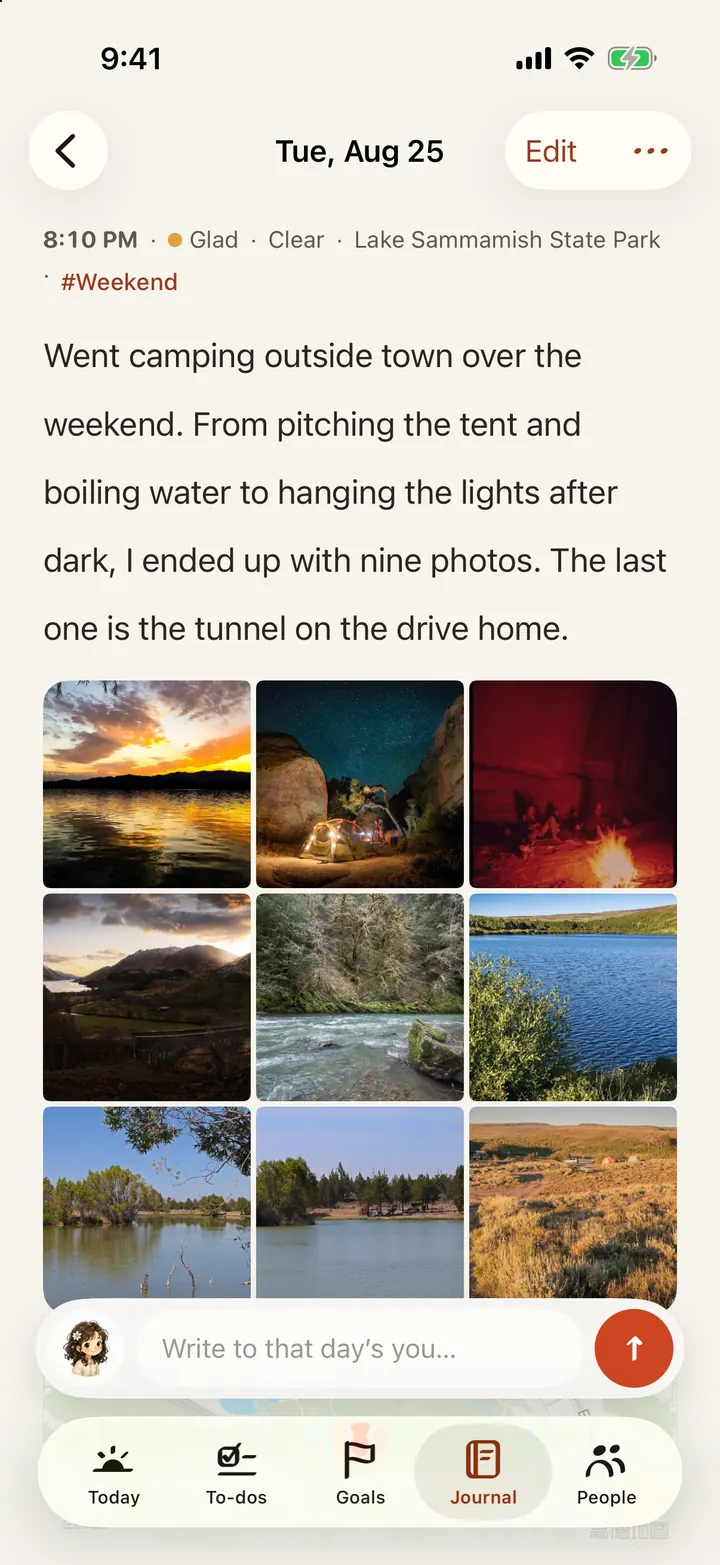
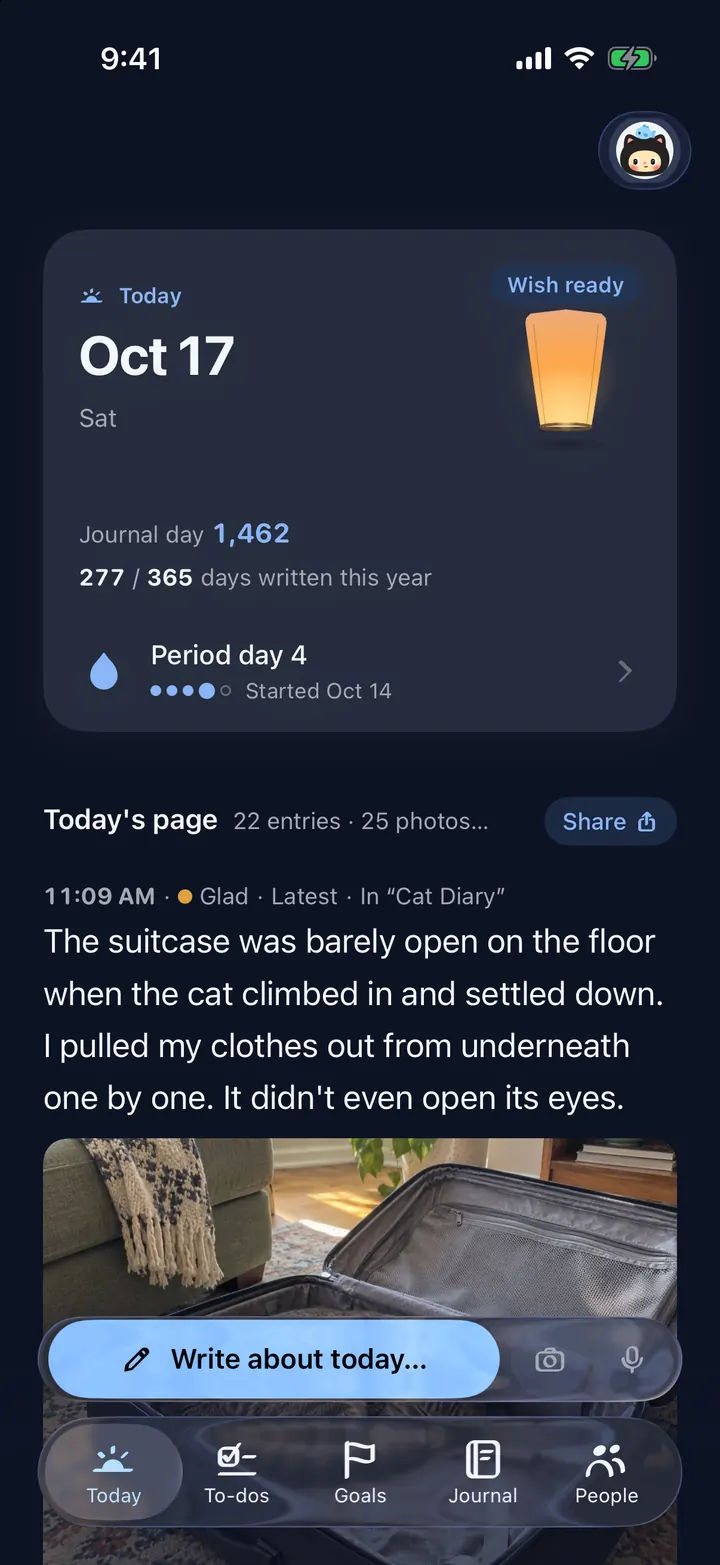
Write whatever comes up. One line is an entry. Missed a day? Go back and fill it in.
- Photos, videos, Live Photos, voice memos and quick sketches in one entry. 3 per entry free, 30 with Pro.
- Tap in your mood, the weather, where you were and who was with you.
- Don’t feel like typing? Tap “Dictate” and talk.
- Back-fill a past day: open the calendar, tap the empty day, then “Write it down”.
- Underline, circle or highlight the words that matter.
- Leave a note under an old entry, like writing back to that day. Pro
Notebooks
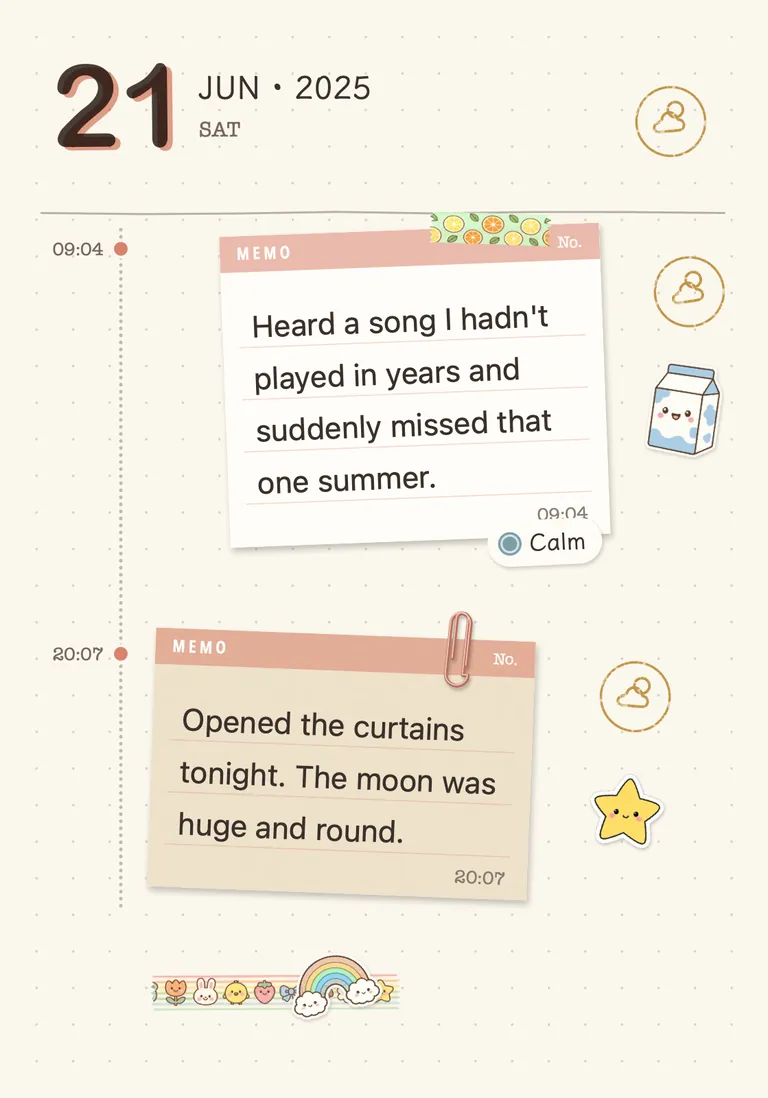
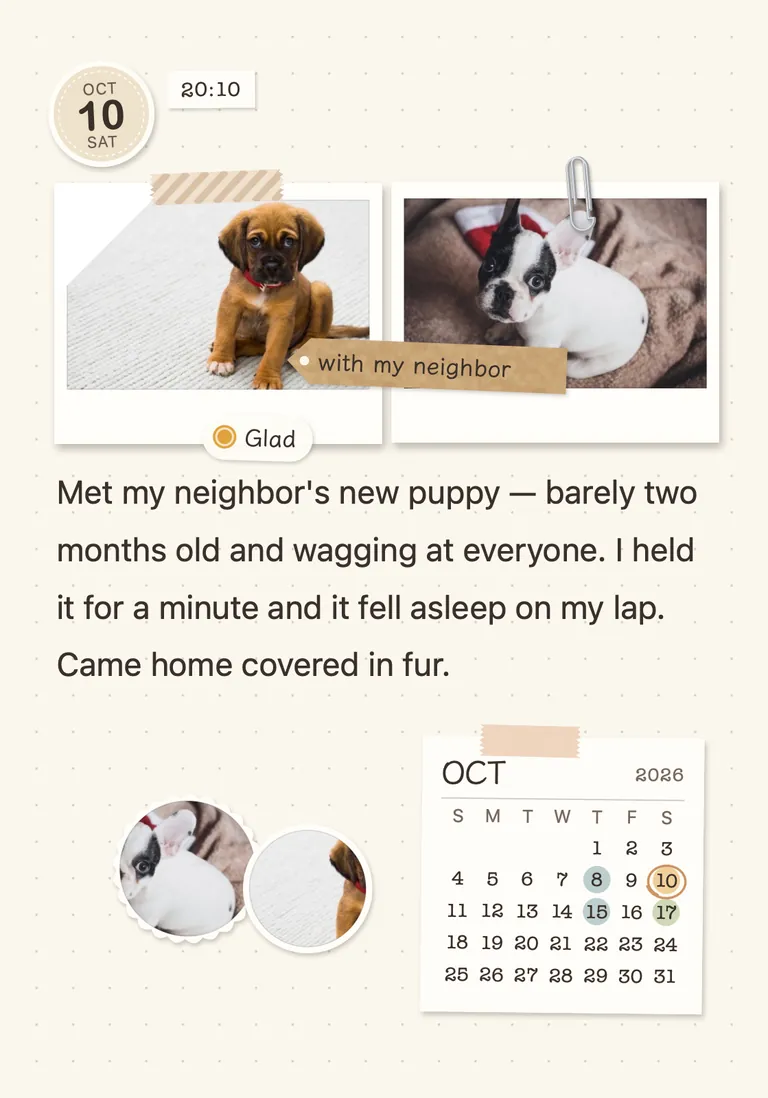
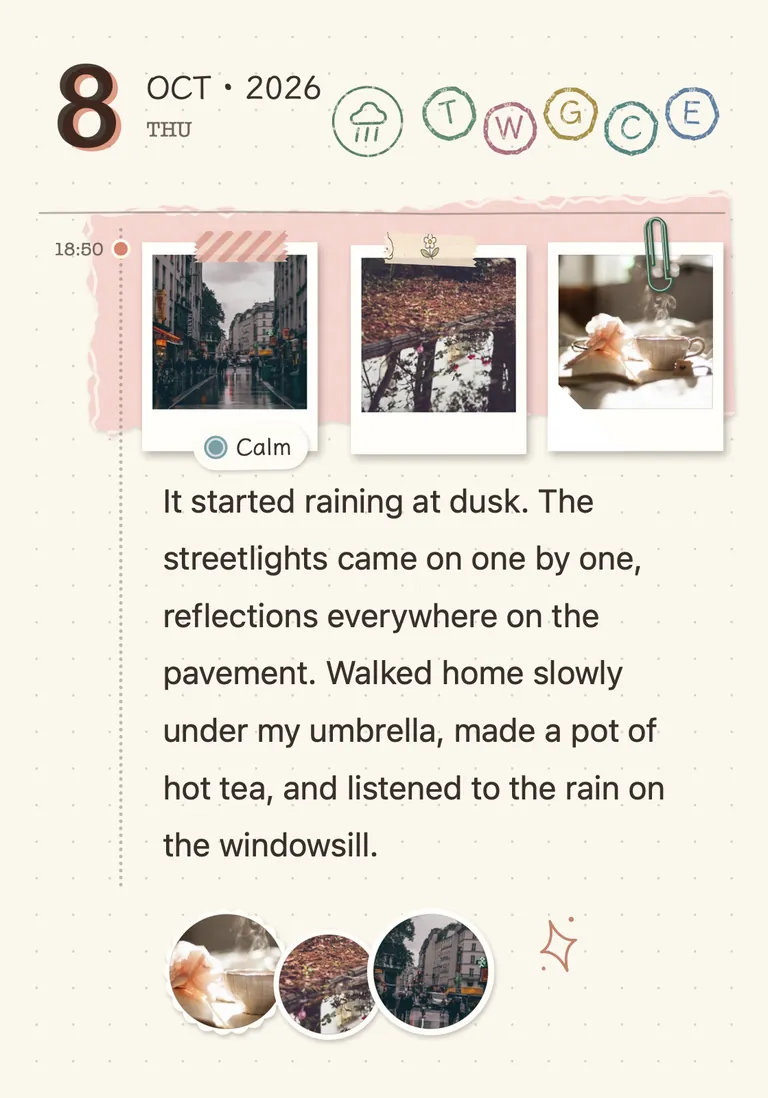
Gather a stretch of days into a book: a trip, a year of reading, the cat. The paper curls under your finger as you turn it.
- Entries lay themselves out, photos placed and dates stamped. You decide how big each photo is.
- A pencil case of stickers, tape, lettering and pens — or cut a sticker out of your own photo.
- 12 covers, or use a photo of your own.
- Keeping one for a baby or a pet? Add a birthday and every entry shows how old they were that day.
- Give it a song that plays when you open it, or tap “Auto-flip” and let it turn its own pages.
- 5 notebooks free, unlimited with Pro. PDF export and page-turning videos are Pro.
Letters
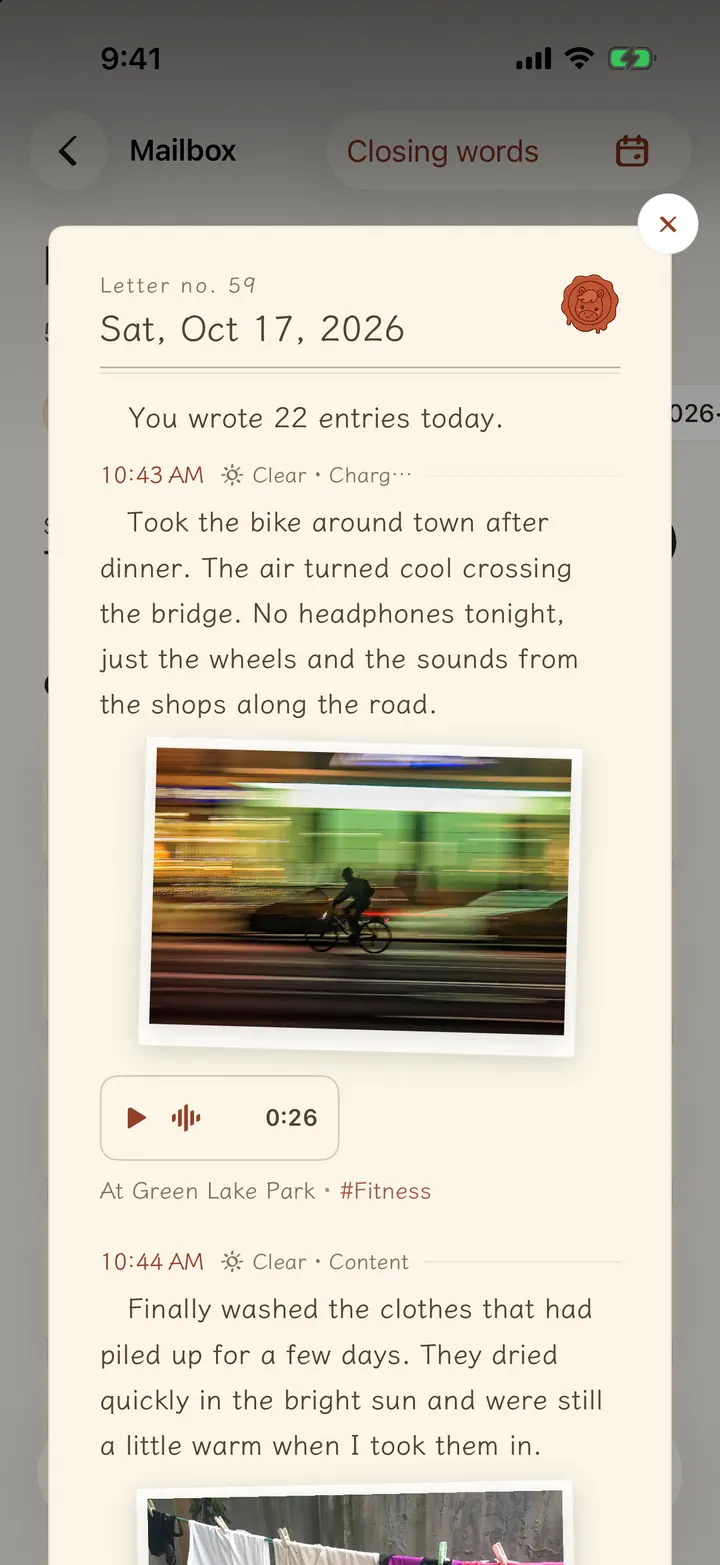
Before bed, the day — what you wrote, finished and have coming up — becomes a letter. Pick a closing line, press the wax seal, and it goes into your mailbox.
- Sixteen wax seals: the twelve zodiac animals plus four regulars. The date picks who’s on duty.
- The mailbox keeps one shelf per month. Pull out a letter and the day is all there.
- Part of Pro. Everyone can try it free for 7 days.
To-dos
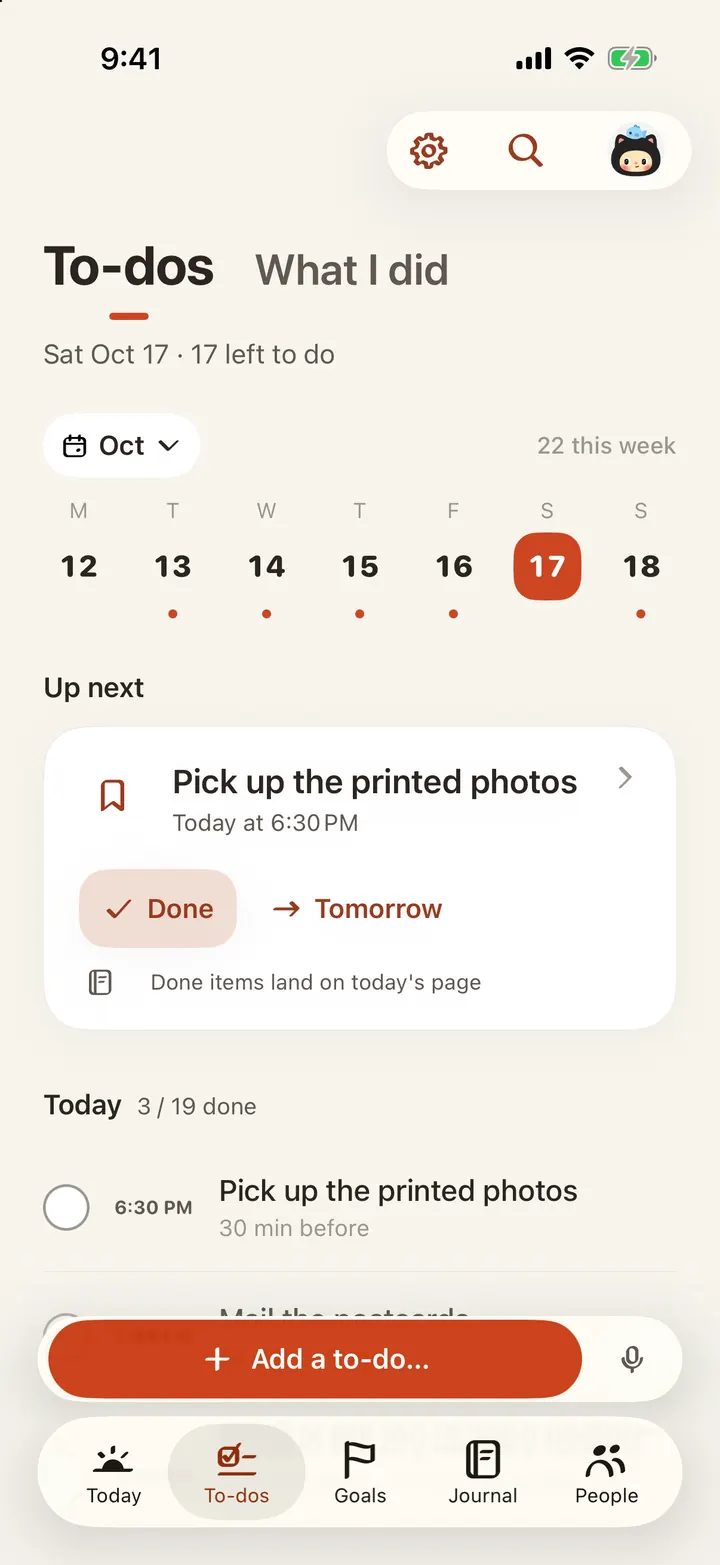
Add them the way you’d say them: “pick up the parcel tomorrow at 3pm” sets the date and time for you.
- Sorted by day. Tick when done, or push it to “Tomorrow”.
- No date yet? It waits in the “Inbox” until you sort it.
- Set things to repeat once. Break tasks into steps, attach a photo.
- “Lists” for trips and shopping, each on its own.
- Two-way sync with Apple’s Reminders, and your calendar events show up too.
Goals
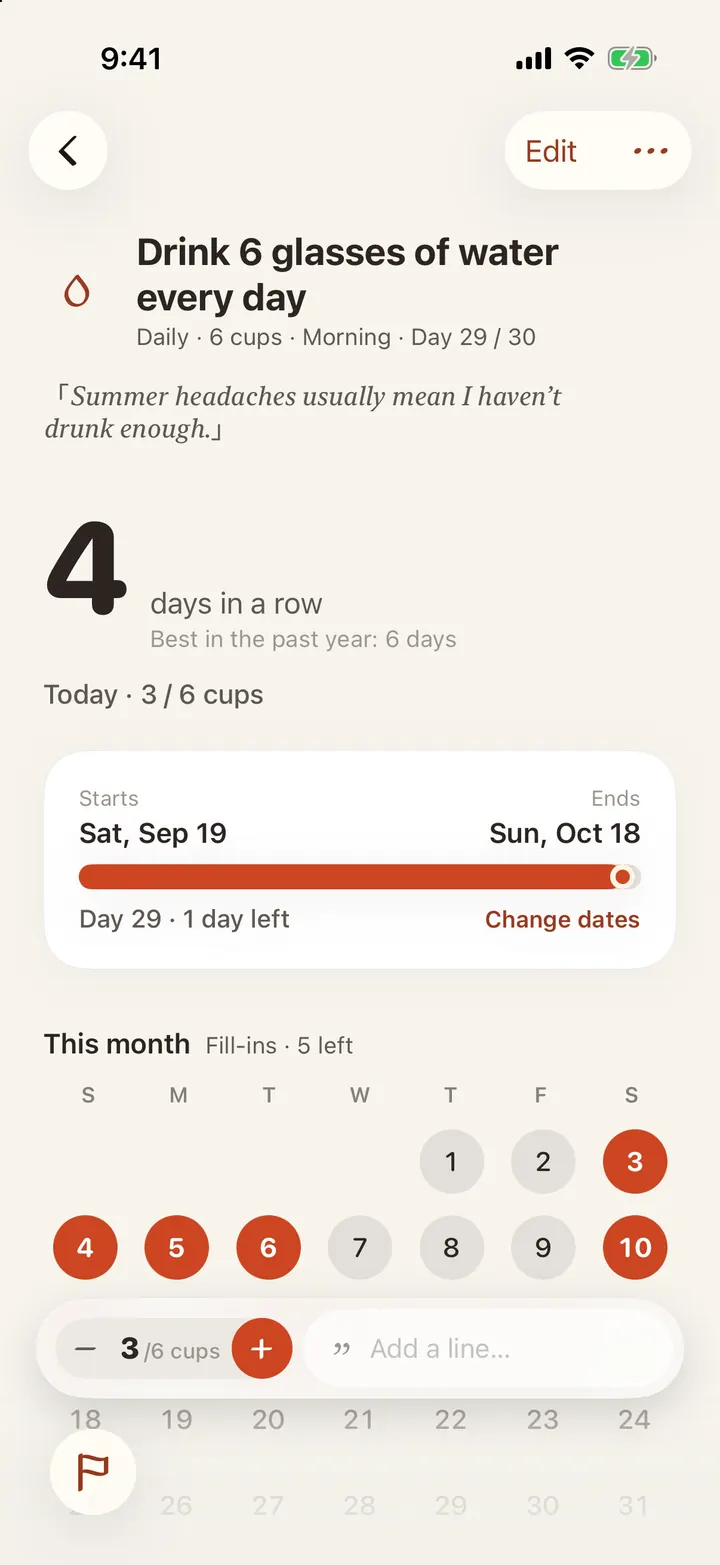
Turn the thing you want to keep doing into a goal and tick it each day. Fill in a missed day; take leave when you’re away.
- Once a day, a number of times, or an amount — like glasses of water.
- Leave days don’t count as misses, and your streak stays intact.
- See the whole month or year at a glance.
- Check in from the Today page or a widget; with Pro, from the Lock Screen.
- Unlimited and free.
Wishes
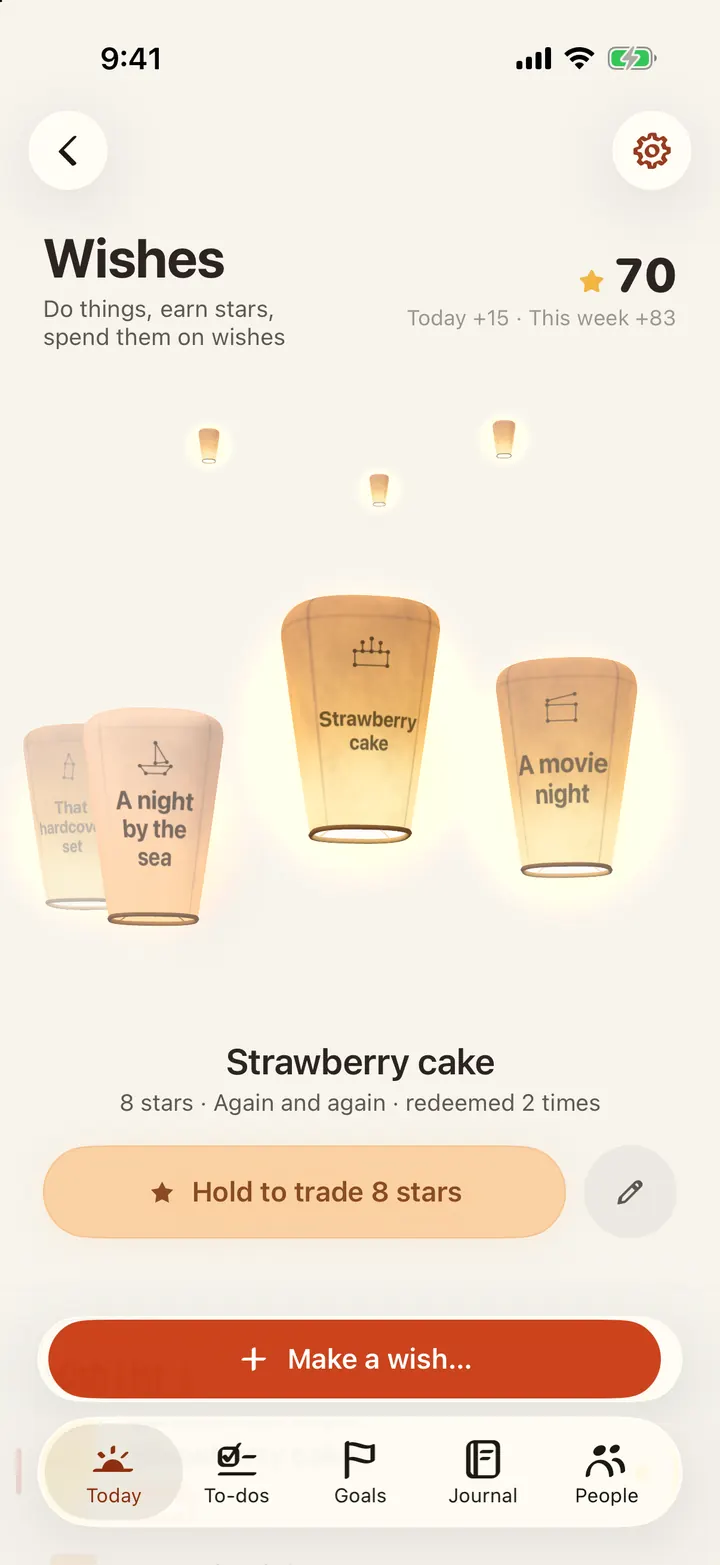
Make a wish and decide how many stars it costs. Writing, finishing tasks and checking in earn stars. When you have enough, press and hold — the lantern fills and floats away.
- You set the rules: how many stars for a task, a check-in, an entry.
- Every star is accounted for, and granted wishes stay lit in the sky.
- Stars are just a record inside the app, never money or goods.
- Part of Pro. Everyone can try it free for 7 days.
People
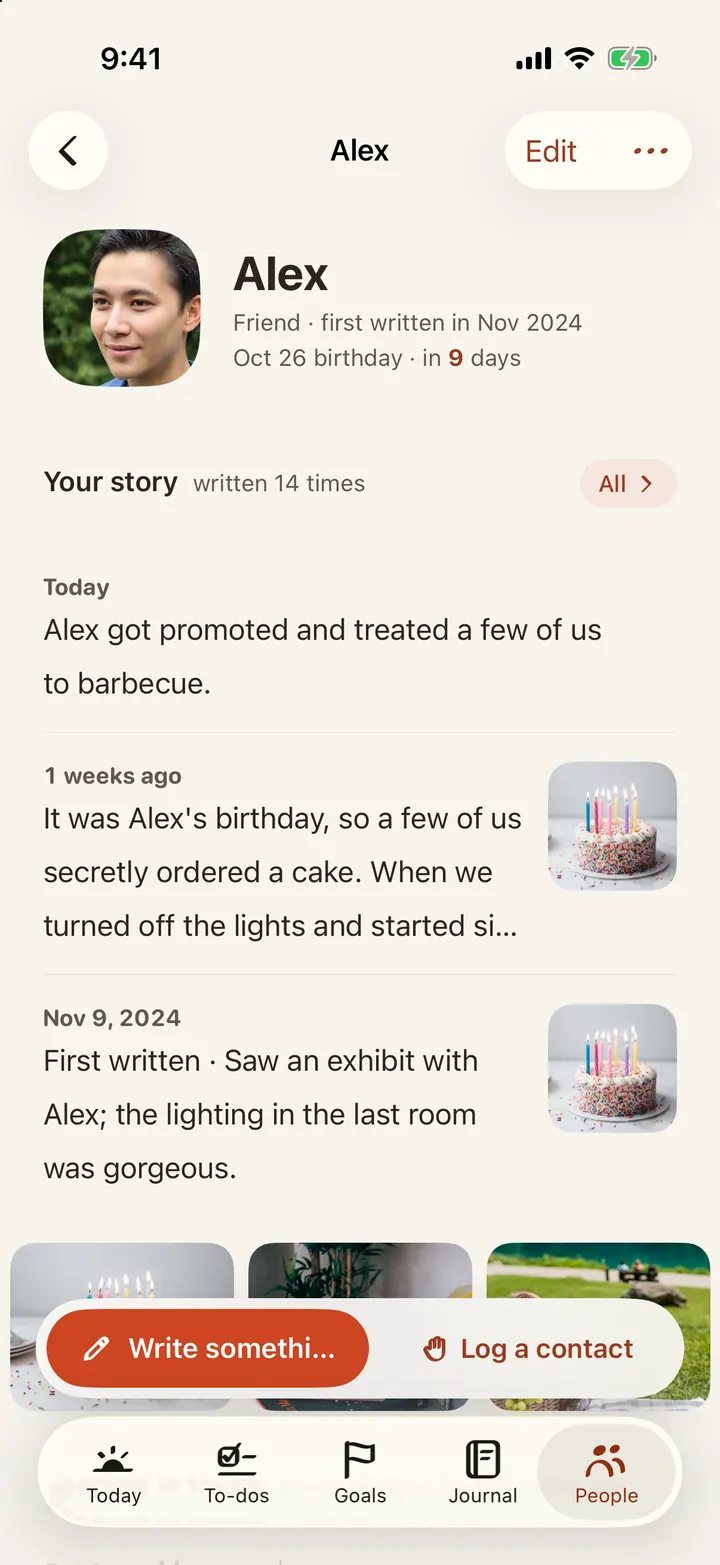
The people you think about, and what happens between you. Not a contact list.
- Mention someone in an entry and it shows up on their page.
- Swipe to log a call, a message or a meet-up; it nudges you when it’s been a while.
- “Notes to self”: their favorite food, what they can’t eat, their size.
- Promises you made them are kept on their page too.
- As many people as you like.
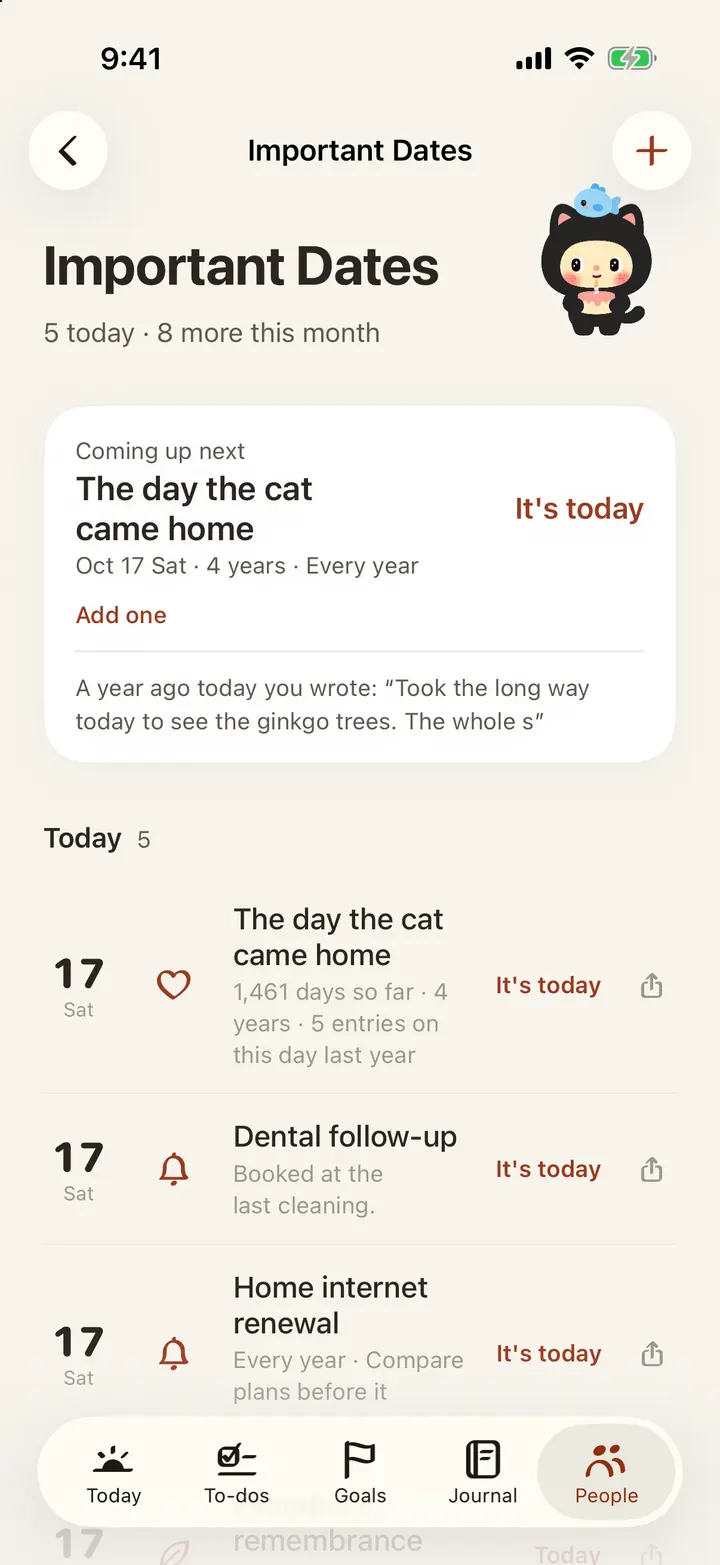
Important dates
Birthdays, anniversaries, countdowns — on the lunar calendar too. You get a heads-up before they arrive.
- Gregorian, lunar, holidays and solar terms; you choose how early to be reminded.
- Add something to prepare, like a gift or a table booking, and it lands in your to-dos.
- Share a countdown card, or put the date in your iPhone calendar.
- 5 free, unlimited with Pro.
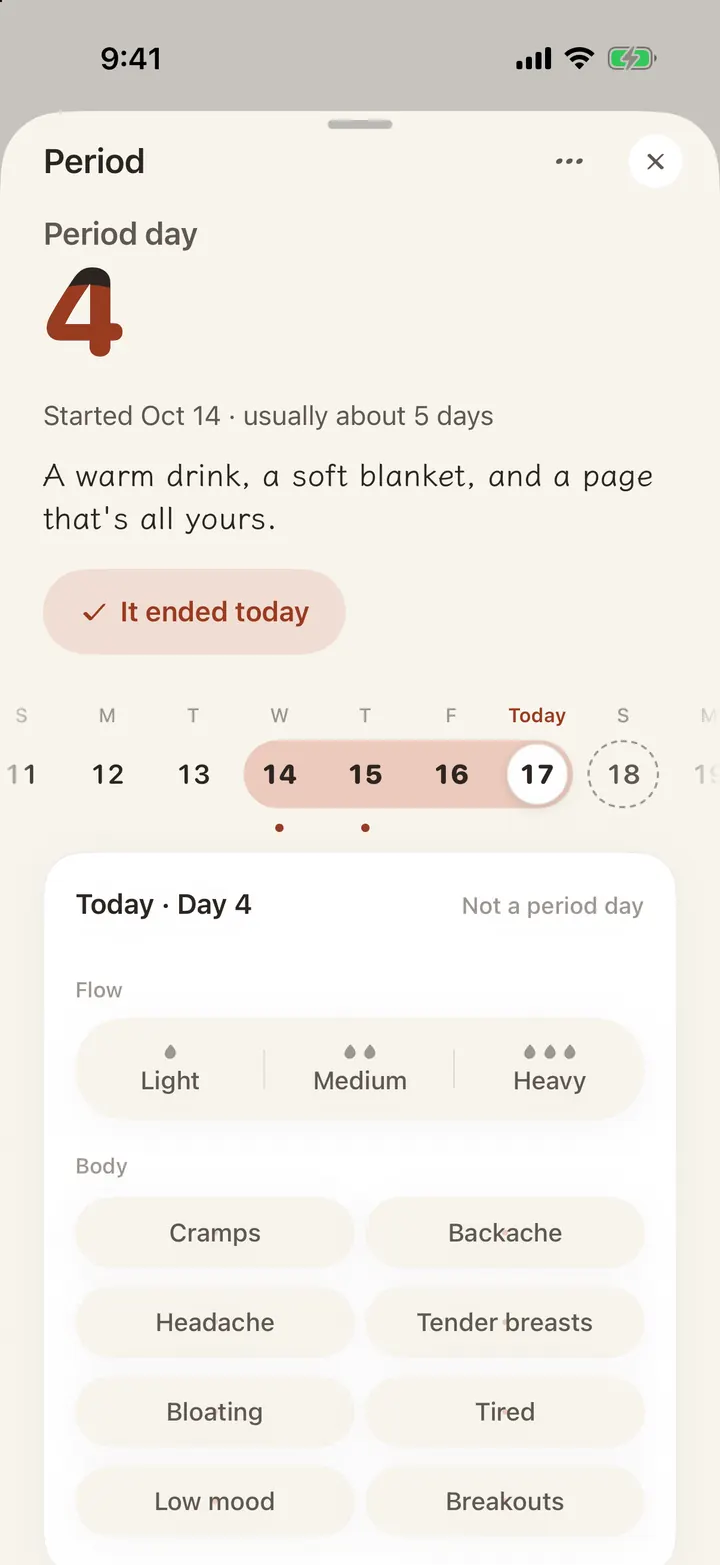
Period
Off by default — turn it on first. Then one tap logs a start.
- A line under the date on the Today page: “Started”, then “Ended”. Missed one? Tap the day to fill it in.
- Note flow and how you feel. After three cycles it can estimate the next one.
- Dates live only in Apple Health, never in Trace’s sync or backups.
- Reminders never say “period” on your Lock Screen.
Look back
Remember one word or one place, and you can find the day.
- Search any word, then filter by person, place, tag, notebook or mood.
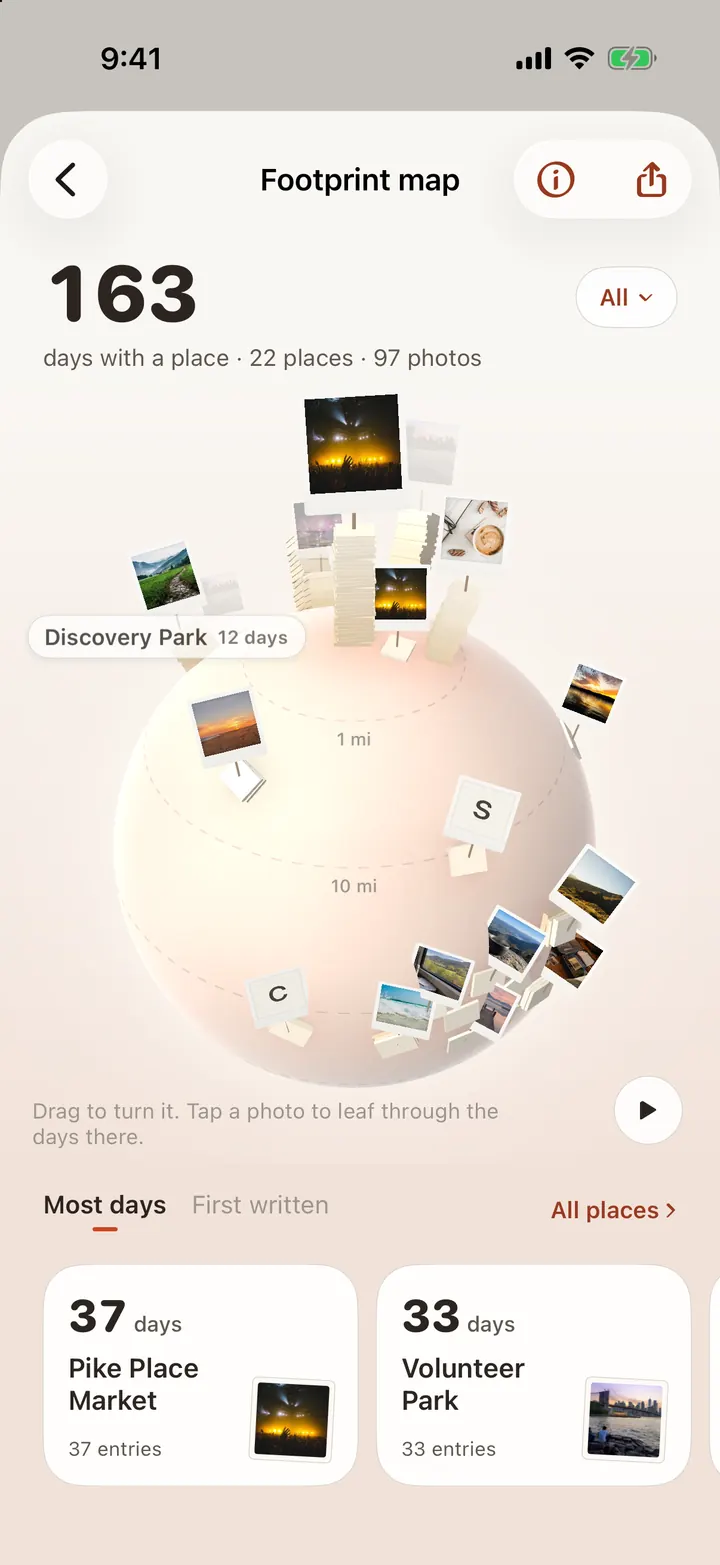
- Footprints: the places you wrote from gather on a little planet. Spin it and open a place.
- On this day, the photo wall, a year of moods, and a review at the start of each month and year.
- “Flip through” drops you on a random day from the past.
- Bind your journal into a book and export it as a PDF. Pro
Widgets and looks
Useful without opening the app, and your style when you do.
- 8 Home Screen widgets: Today, Today’s goals, To-dos, Coming up, People, Journal, Bookshelf and Mailbox. Tick and check in right there.
- Goals, to-dos, dates and people on the Lock Screen and Dynamic Island. Pro
- 24 themes, one for light mode and one for dark. 6 built-in fonts; import your own with Pro.
- Turn on holiday icons and the app icon changes on the day — 21 of them.
- Night owl? Choose when your day starts, so 2am still counts as yesterday.
Yours to keep
It lives on your phone. Sync only goes through your own iCloud.
- No sign-up, no account, works offline.
- Sync between iPhone and iPad through your own iCloud. On iPad, landscape splits into two columns and notebooks open as spreads.
- Export a full backup any time — that’s also how you move phones.
- App Lock with Face ID or Touch ID, plus a 6-digit backup code.